

// add this system
using System.Xml;
using System.IO;

namespace WindowsFormsApplication3
{
    public partial class Form1 : Form
    {
         public Form1()
         {
             InitializeComponent();
         }

         private void button1_Click(object sender, EventArgs e)
         {
             // here process of saving data
             XmlTextWriter xwriter = new XmlTextWriter("savefile.xml", Encoding.Unicode);
             xwriter.WriteStartDocument();
             xwriter.WriteStartElement("XMLFILE");
             xwriter.WriteStartElement("Title");
             xwriter.WriteString(textBox1.Text);
             xwriter.WriteEndElement();

             foreach (String item in listBox1.Items)
                 {
                     xwriter.WriteStartElement("Item");
                     xwriter.WriteString(item);
                     xwriter.WriteEndElement();
                 }

            xwriter.WriteEndElement();
            xwriter.WriteEndDocument();
            xwriter.Close();
            // end of saving process
         }
     }
}
1. Input value
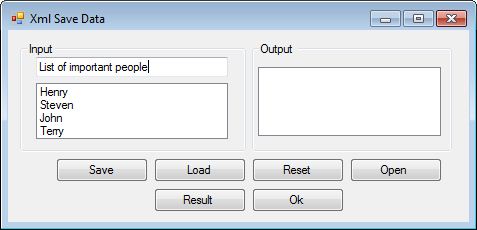
2. Saving Data
XML Notepad
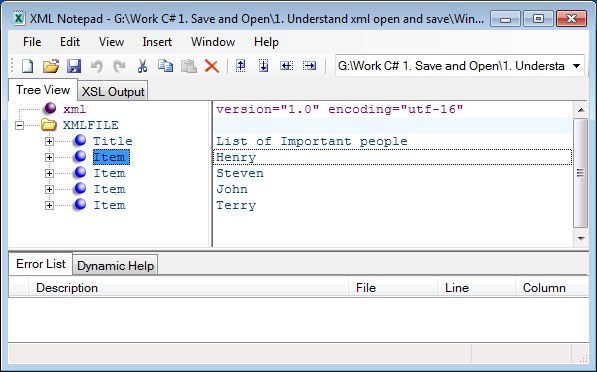
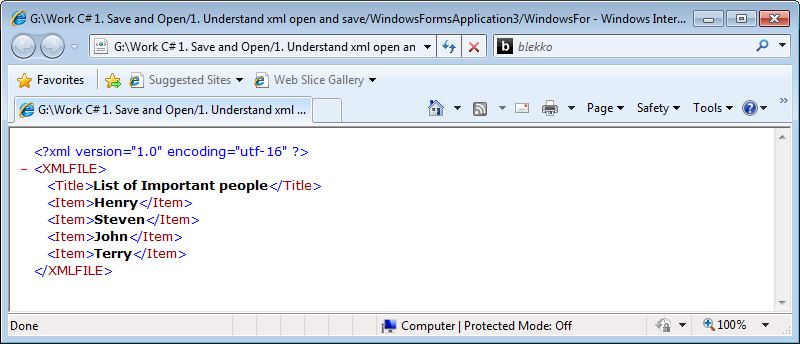
internet explorer
I just want to tell you that I am just beginner to weblog and truly savored this website. Almost certainly I’m planning to bookmark your blog post . You amazingly come with beneficial stories. Bless you for sharing with us your web page.
Thankyou for this wondrous post, I am glad I detected this website on yahoo.
Can you please help me about this topic ? If yes i will send you an email.
I can try to solve it.. 🙂